Launching Your Newsletter Referral Program with Partnero: A Step-by-Step Guide
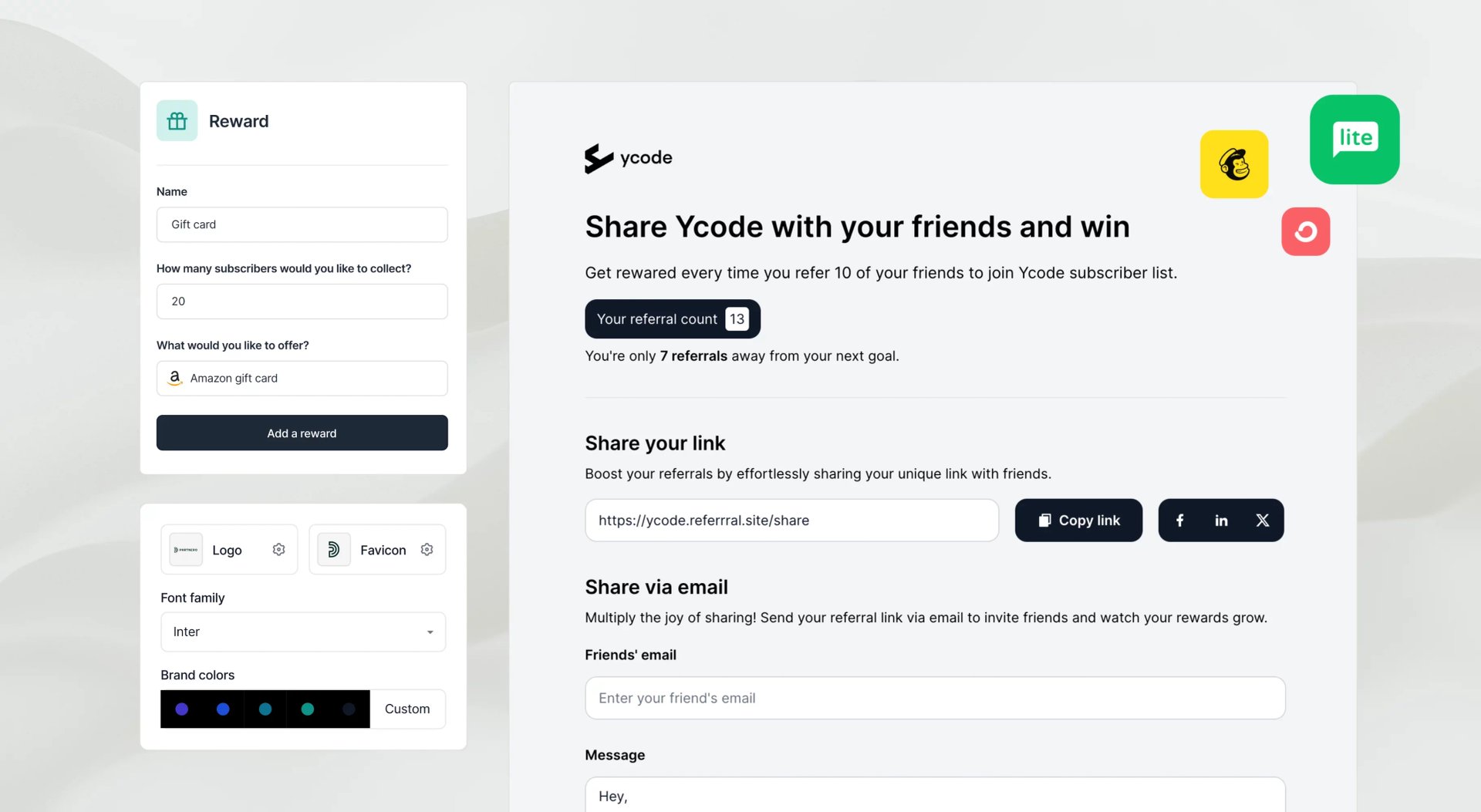
A newsletter referral program encourages existing subscribers to refer others to join your newsletter. By leveraging word-of-mouth promotion, this program rewards existing subscribers with incentives—such as discounts, exclusive content, or special access—whenever they successfully bring new signups.
Each subscriber is assigned a unique referral link to share via email, social media, or other platforms. This referral system helps grow your audience organically, increase engagement, and boost conversions through trusted recommendations from existing subscribers.
Let’s explore how you can set up and launch a newsletter referral program with Partnero step by step.
1. Define program structure
Before you start, it’s essential to think about how you’d like to reward your subscribers and what threshold they must meet to unlock the reward. With Partnero, you can set up a tiered reward structure that offers different rewards for achieving specific goals.
In this guide, we’ll create a program that will:
- work with an existing subscriber list on MailerLite, and
- reward subscribers with a Stripe discount code when they bring in 5 new subscribers.
Now, let’s get started. First, you need your Partnero account. If you don’t have one, sign up!
2. Configure your newsletter referral program
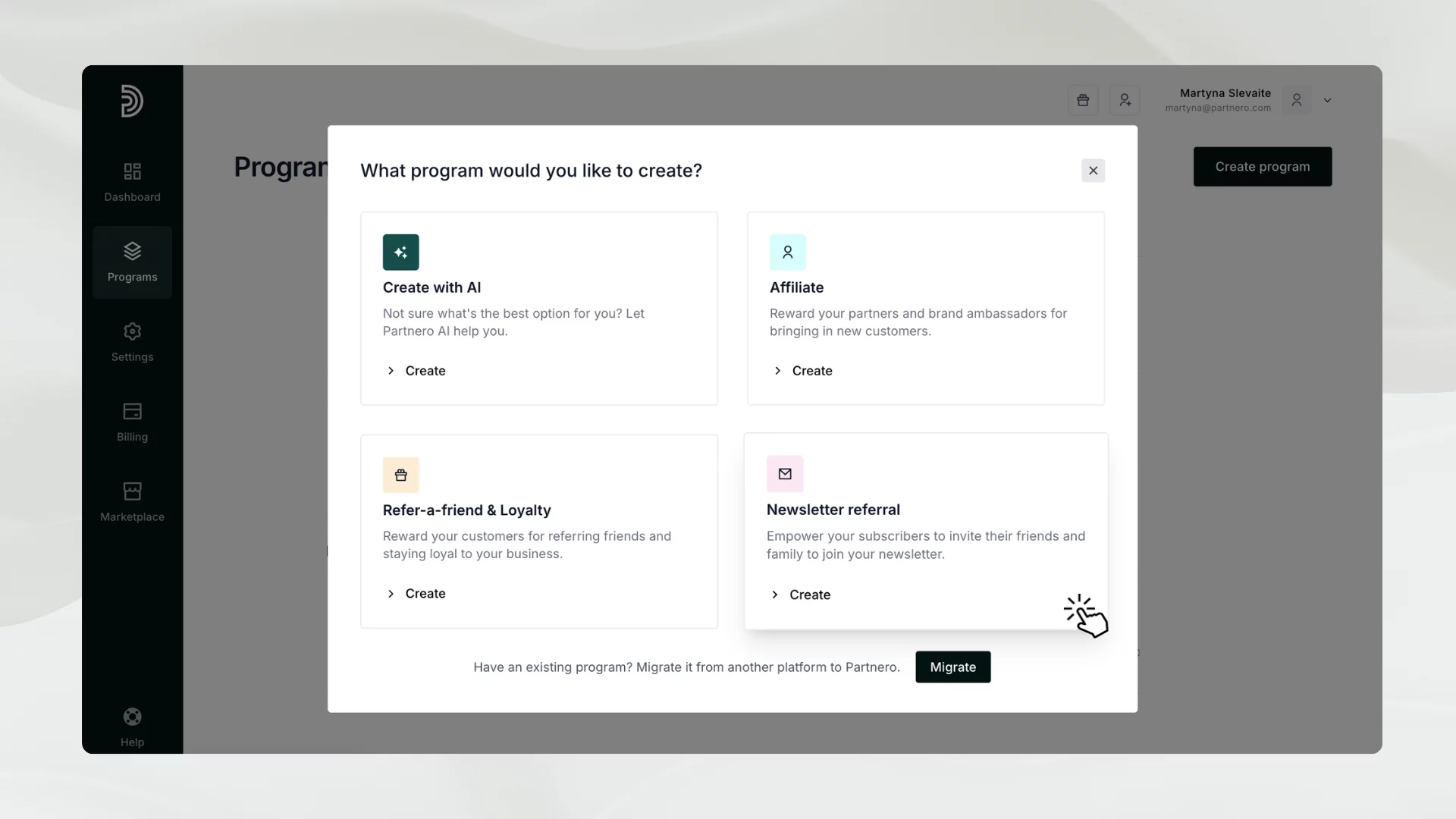
To create a program, log in to your account. Then, go to Programs → Create a program, and choose Newsletter referral program.
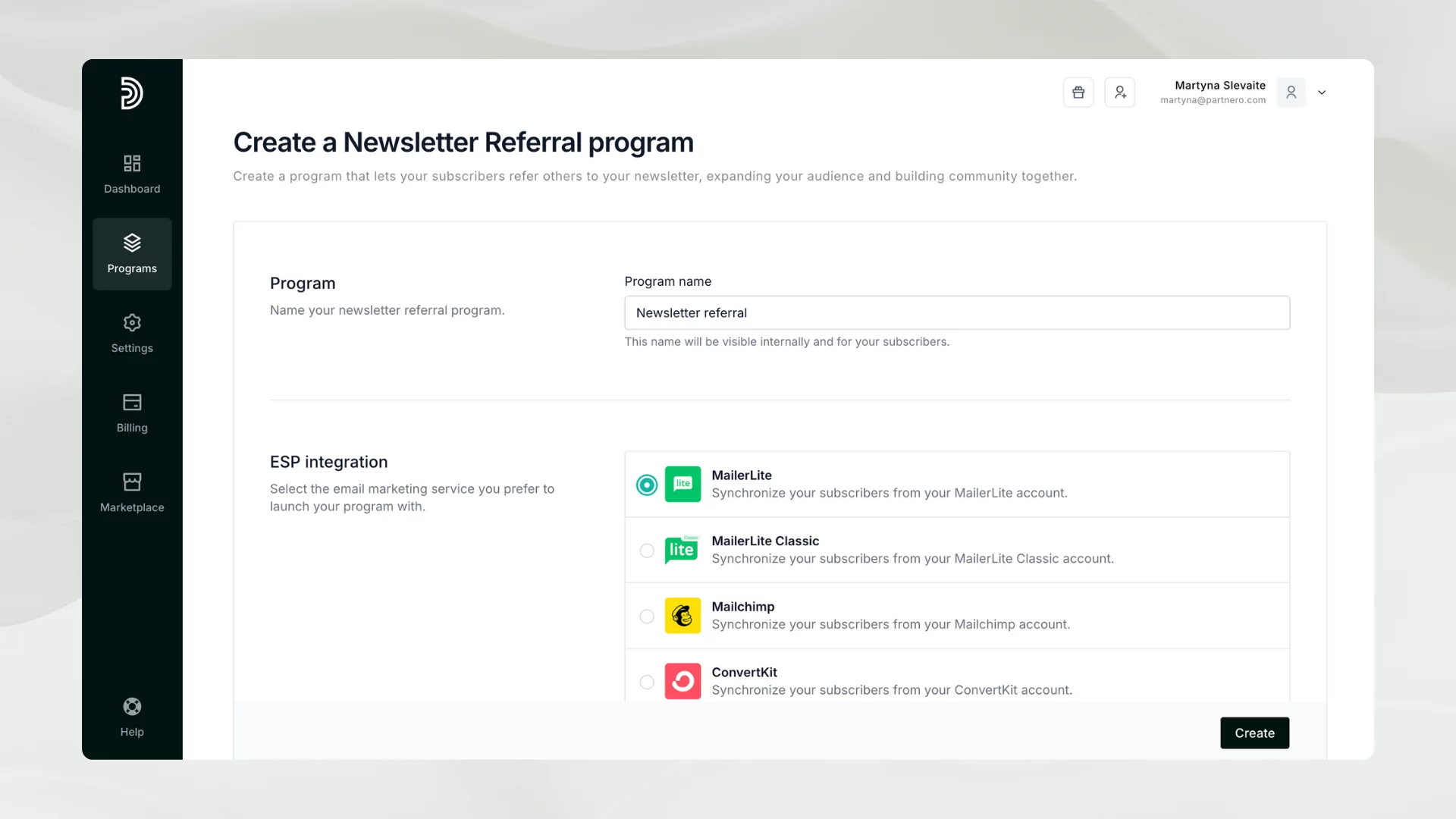
Enter the program name and choose your email service provider. With our example, we’ll select MailerLite. Click Create.
3. Connect your Email Service Provider
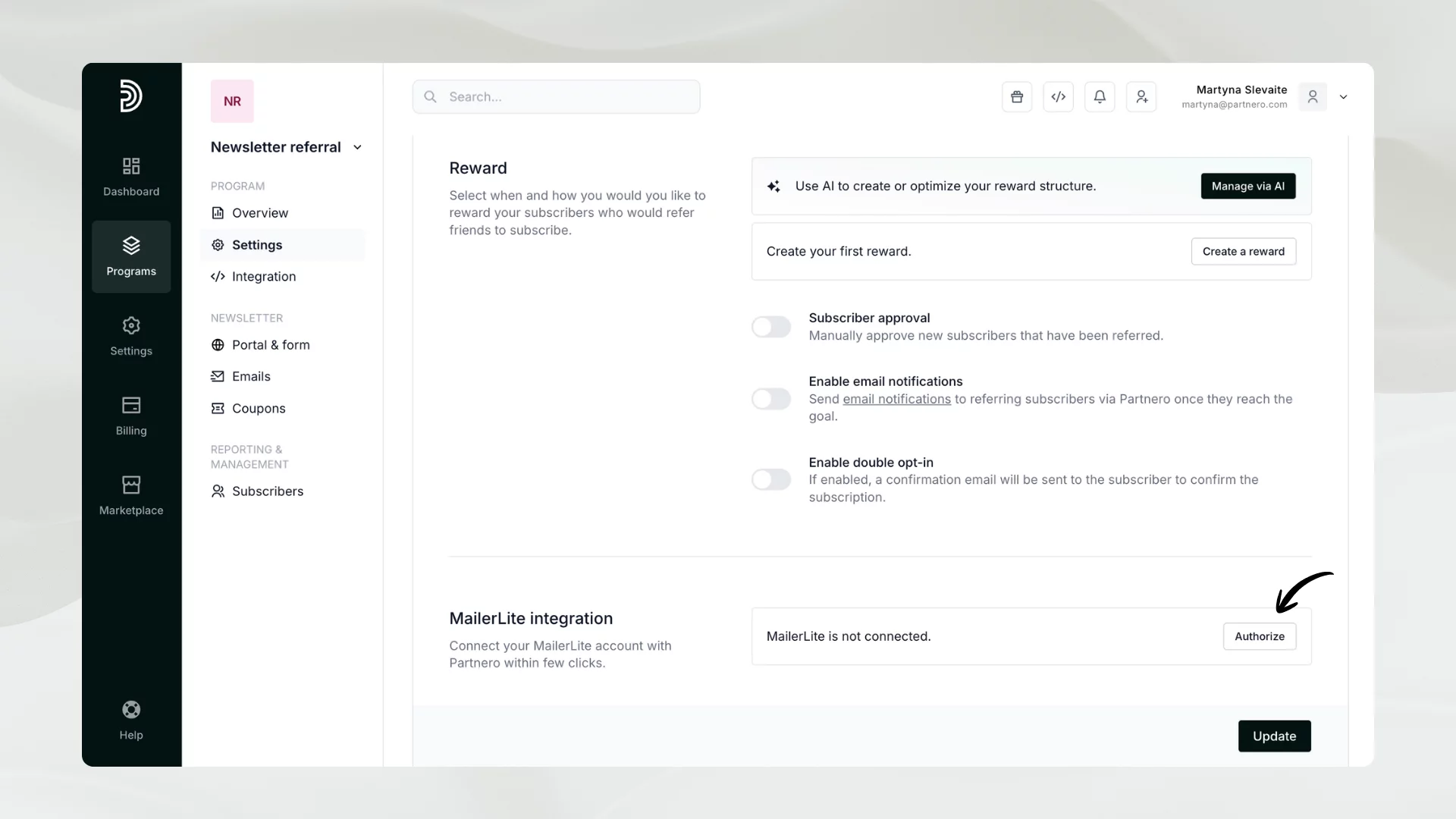
Once the program is created, connect your email service provider. Under Program Settings, click Authorize next to MailerLite integration:
You’ll be asked to enter your MailerLite API key; here’s how to find it. Once connected, select the subscriber group that will participate in the referral program and the destination group. This is where new subscribers will be added.
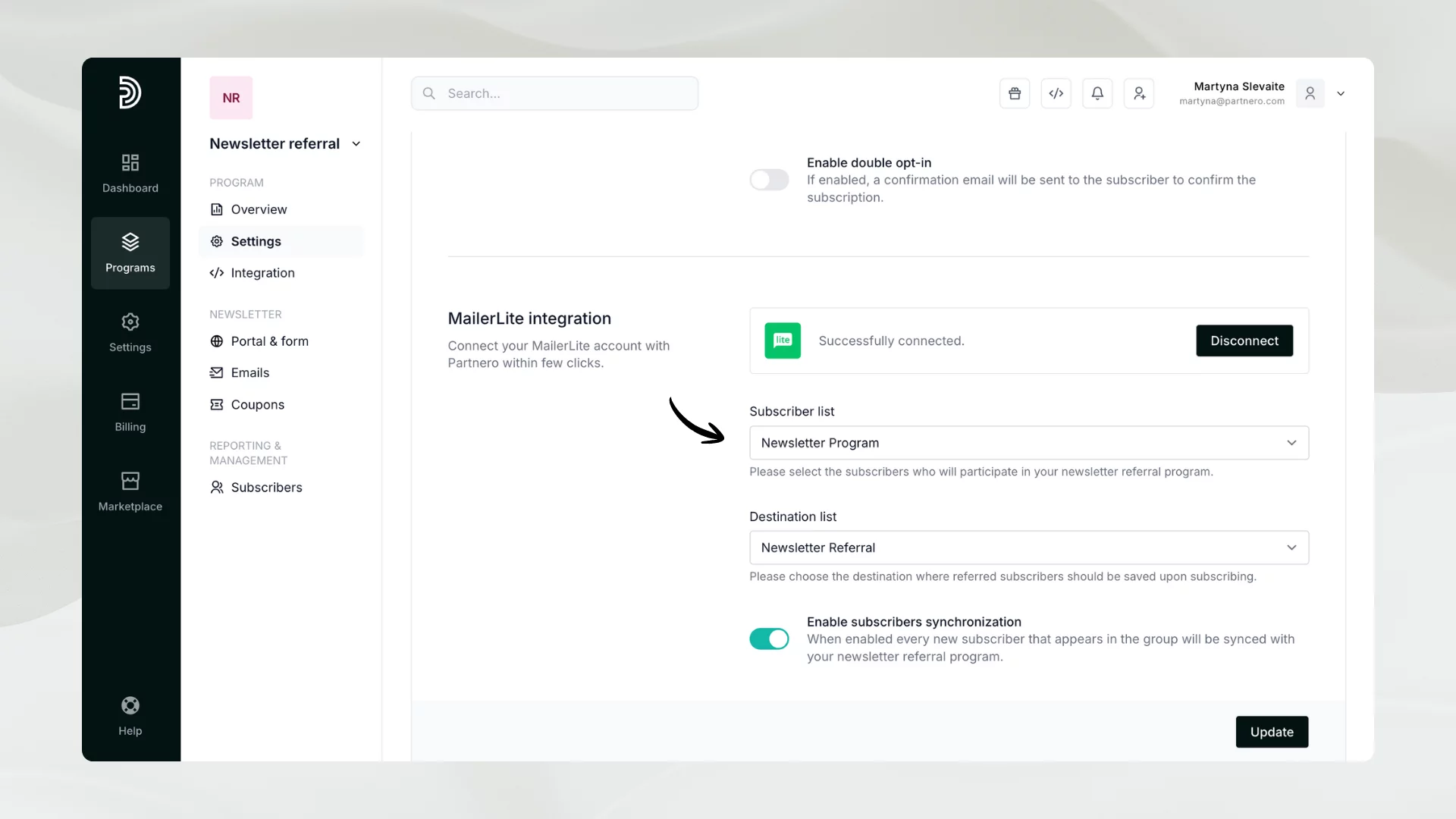
Click Update to save your changes. Your subscriber list will be synchronized, and every subscriber will receive a unique referral link. The referral links will be saved as custom field values in the email service provider.
Additionally, the Settings tab is where you can enable double opt-in, subscriber approval, and email notifications.
4. Set up rewards
With Partnero, you can offer various rewards:
- Exclusive downloadable material, such as e-books;
- Simple generic coupons;
- Amazon Gift cards;
- Stripe coupons (discount codes).
Based on our example, we’ll use the Stripe coupons as a reward. For this option to be available, you’ll first need to authorize Stripe under Program → Integration.
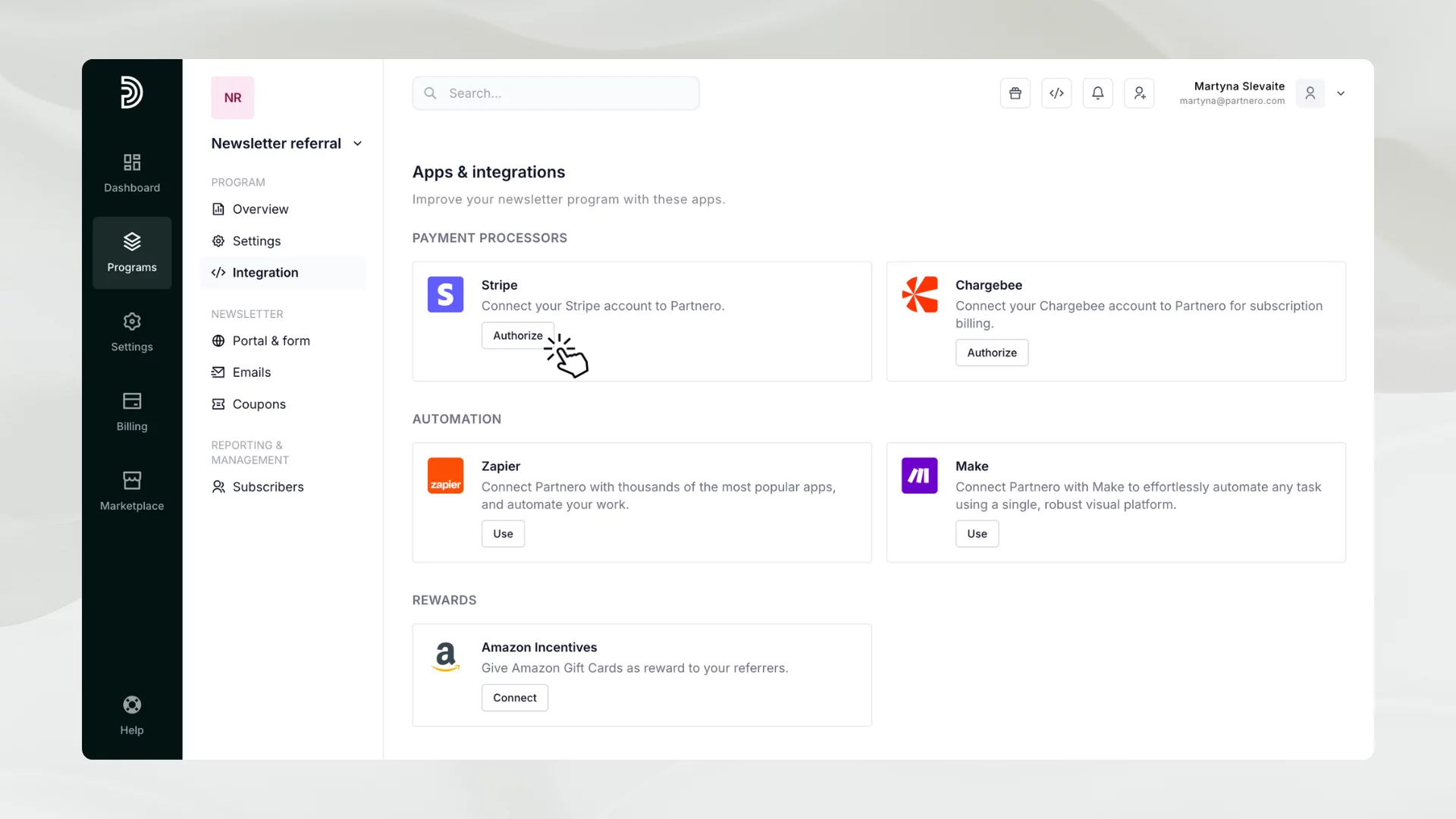
Click Authorize next to Stripe. You can use OAuth or API key methods for authorization. Click here for more details.
Now, let’s set up the rewards. Go to Program Settings and click Create a reward under the Reward section.
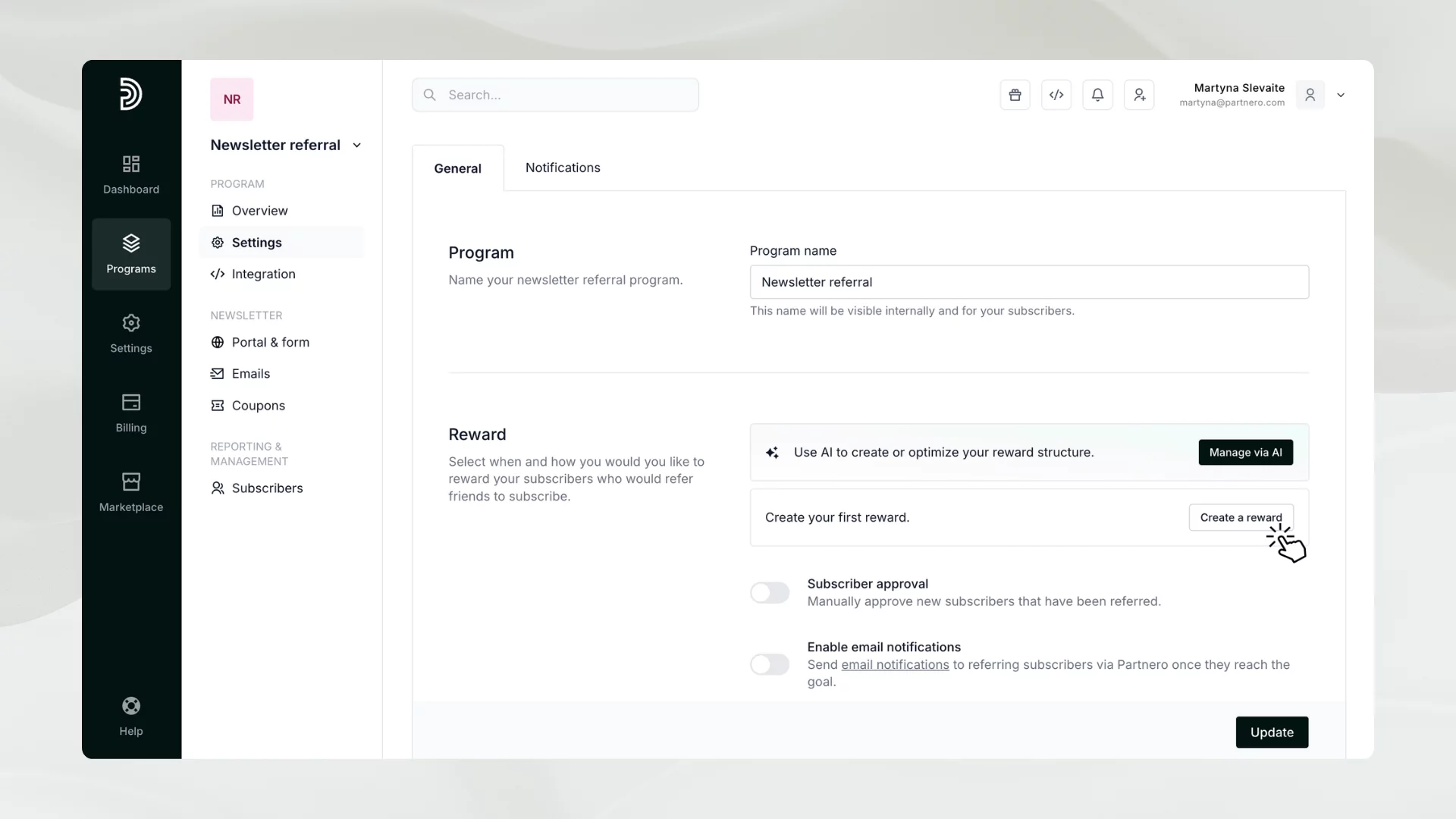
Add the reward name and description. After, select how many new subscribers should be referred to receive this reward.
Set the reward fulfillment based on the reward type you’d like to offer. We’ll select Stripe Coupons. With Stripe, you can choose from existing coupons from your Stripe account or create new ones on Partnero. Coupons created on Partnero will be automatically synced with Stripe.
Don’t forget to click Update to save your changes!
At this step, you can add tiered rewards - e.g., you might want to offer another reward when someone refers 10 or 30 subscribers.
5. Design your subscribe portal and form
The next step is to design the subscriber-facing pages:
- Subscribe portal: a portal where your referring subscribers can access their referral link and track their progress.
- Subscribe page: a page where new referrals will be sent to sign up.
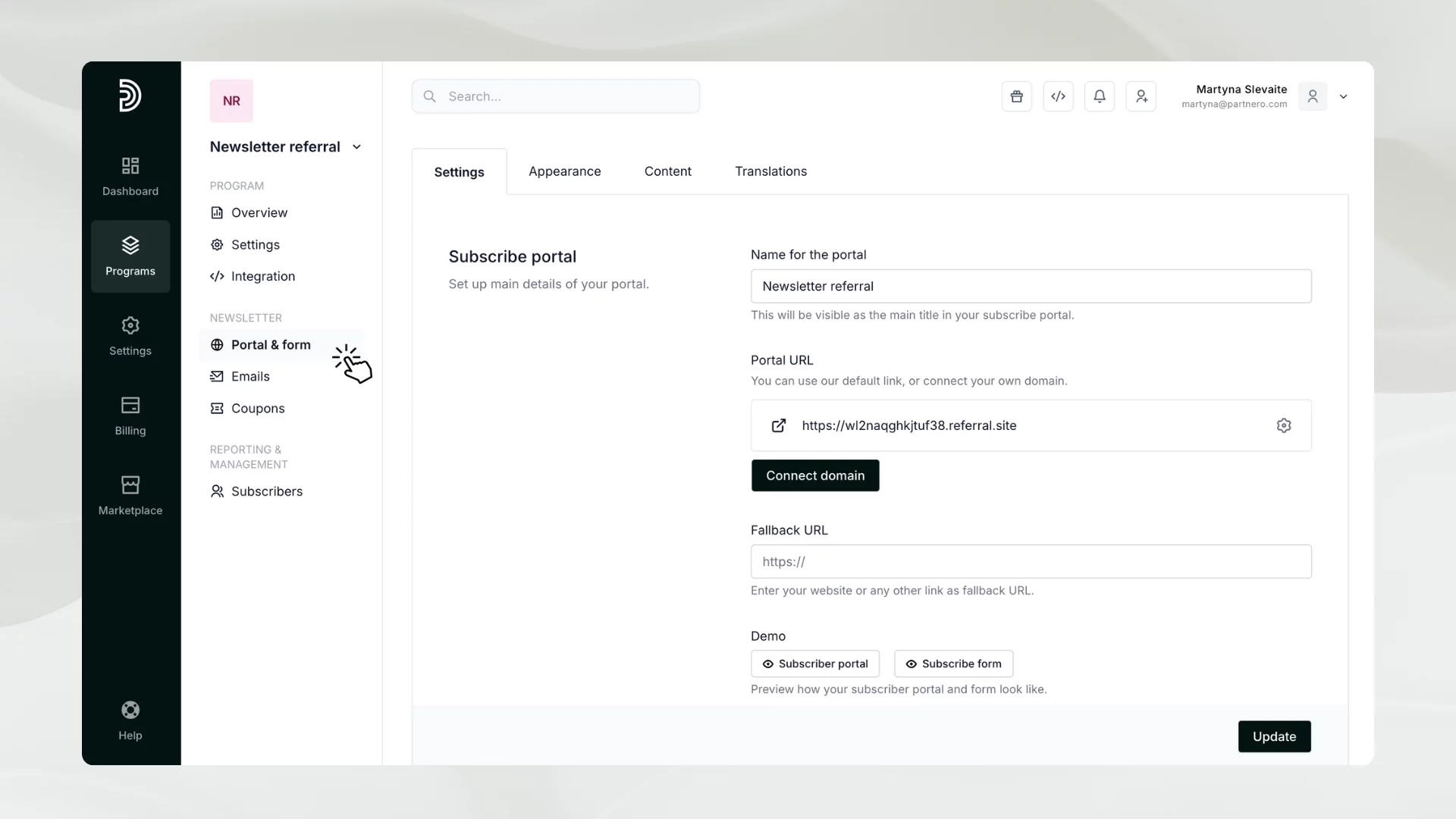
In your program, go to Portal & form under Newsletter. There, you will find four tabs for customizing every detail.
Settings
In the Settings tab, you can:
- Add the name of the portal.
- Connect your own Subscribe portal domain.
- Add a fallback URL.
- Choose a preferred link structure.
- Connect your ESP if you still need to.
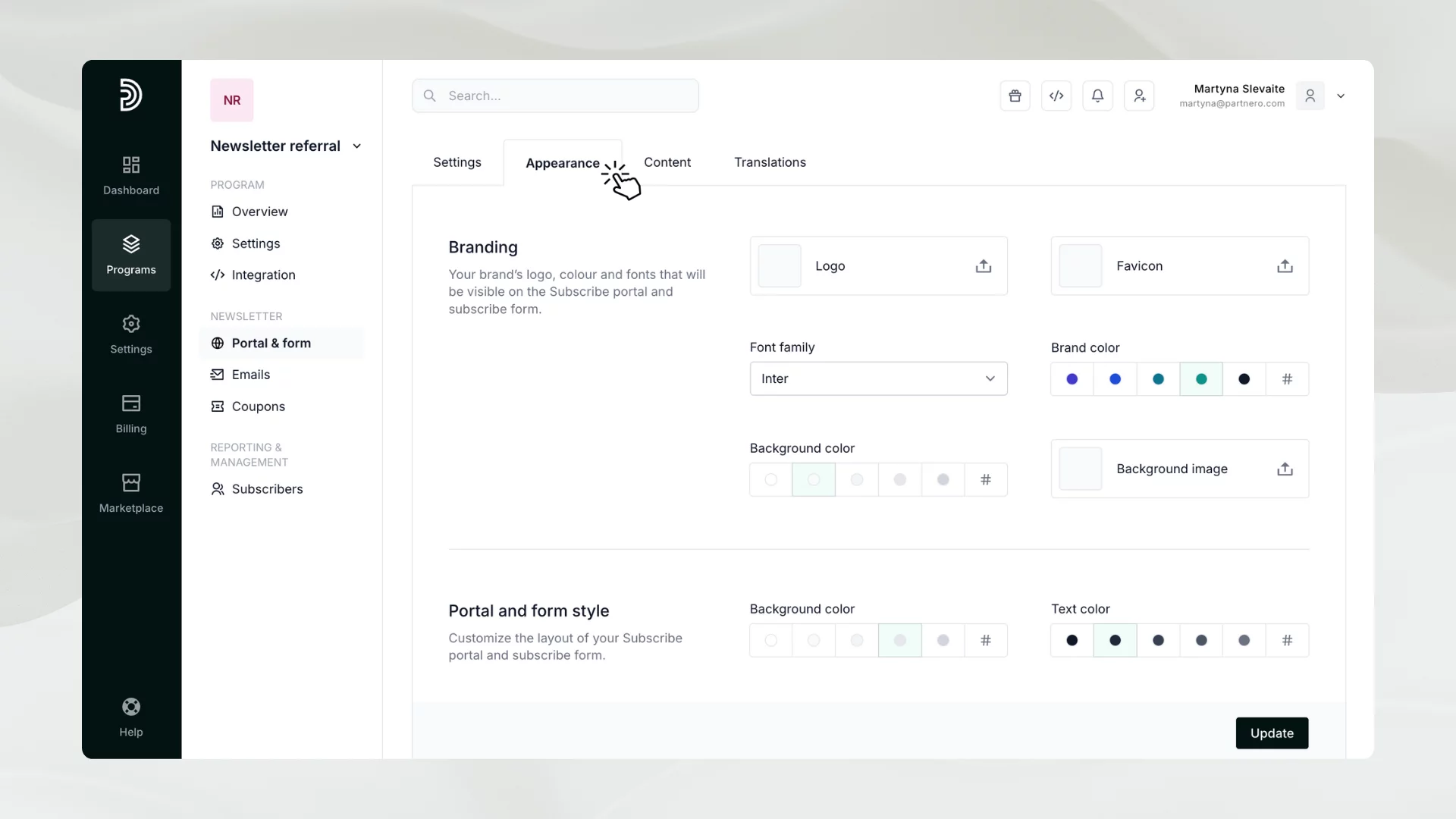
Appearance
The Appearance tab lets you add your branding and logo, choose colors, add background images, and design the portal and form styles that align with your brand.
Content
The Content tab allows you to customize the portal and subscribe page with your text and other features.
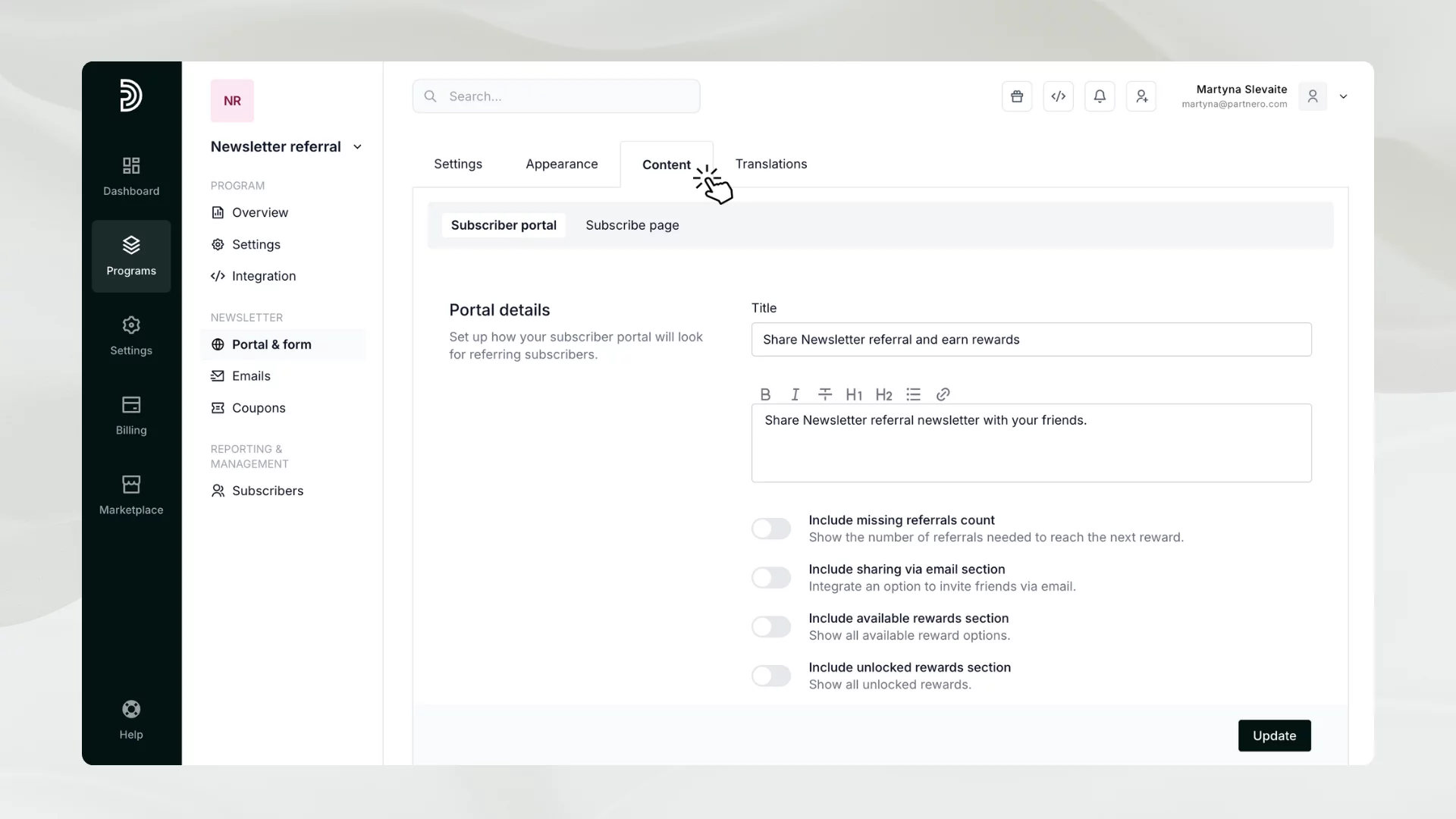
Under the Subscribe portal, you can enable the following customization:
- Include missing referrals count - show the number of referrals needed to reach the next reward.
- Include an option to invite friends via email.
- Show all available reward options.
- Show all unlocked rewards.
Additionally, you can compose a default email invitation message that will be used when your subscribers invite their friends to join.
Under the Subscribe page, you can:
- Update the subscribe page title and description.
- Add your Terms of Use.
- Collect marketing consent.
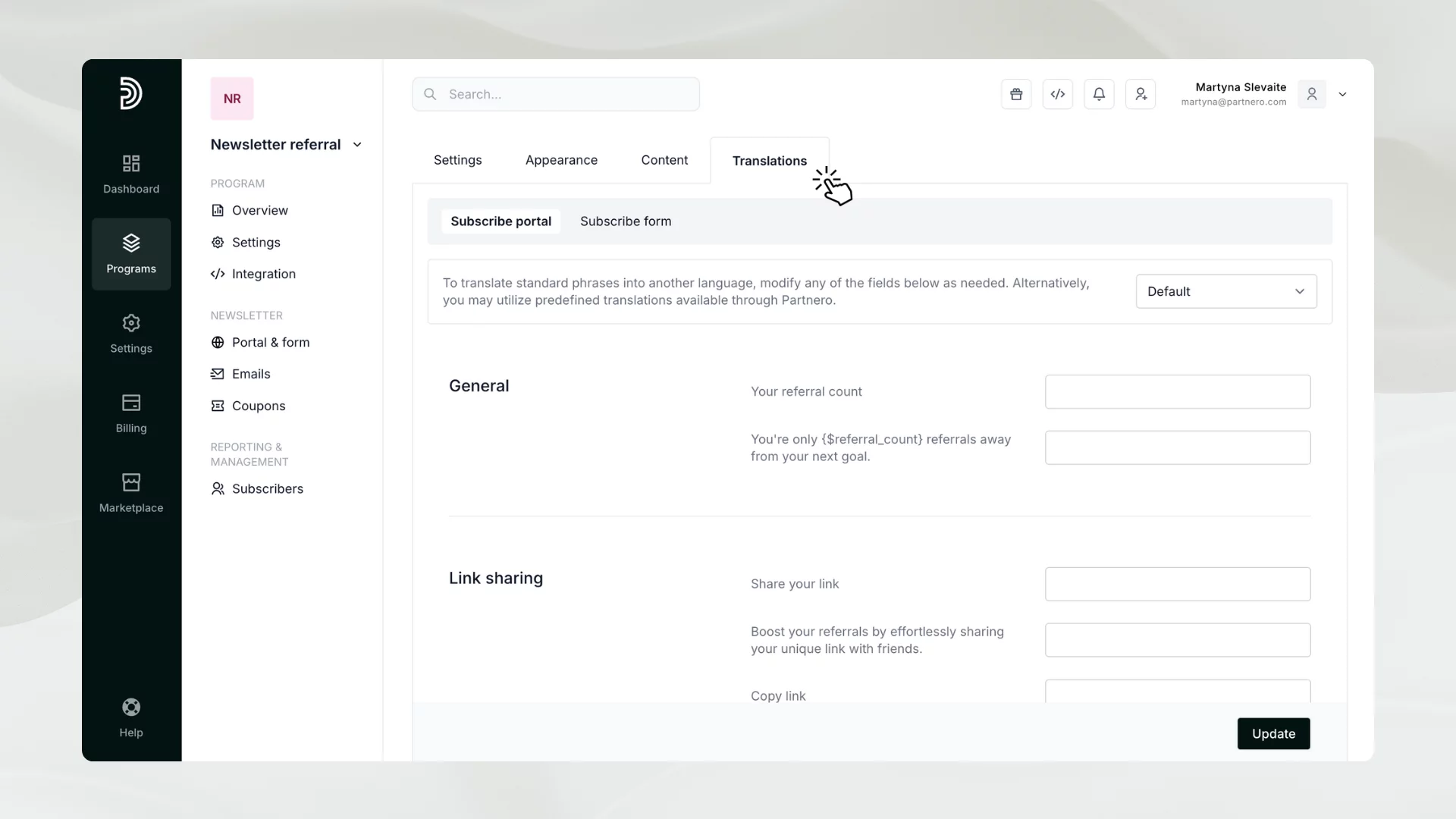
Translations
If you’re sending newsletters in any other language, you can use the Translations tab to translate all of the default texts in the subscribe page and portal.
6. Review program emails
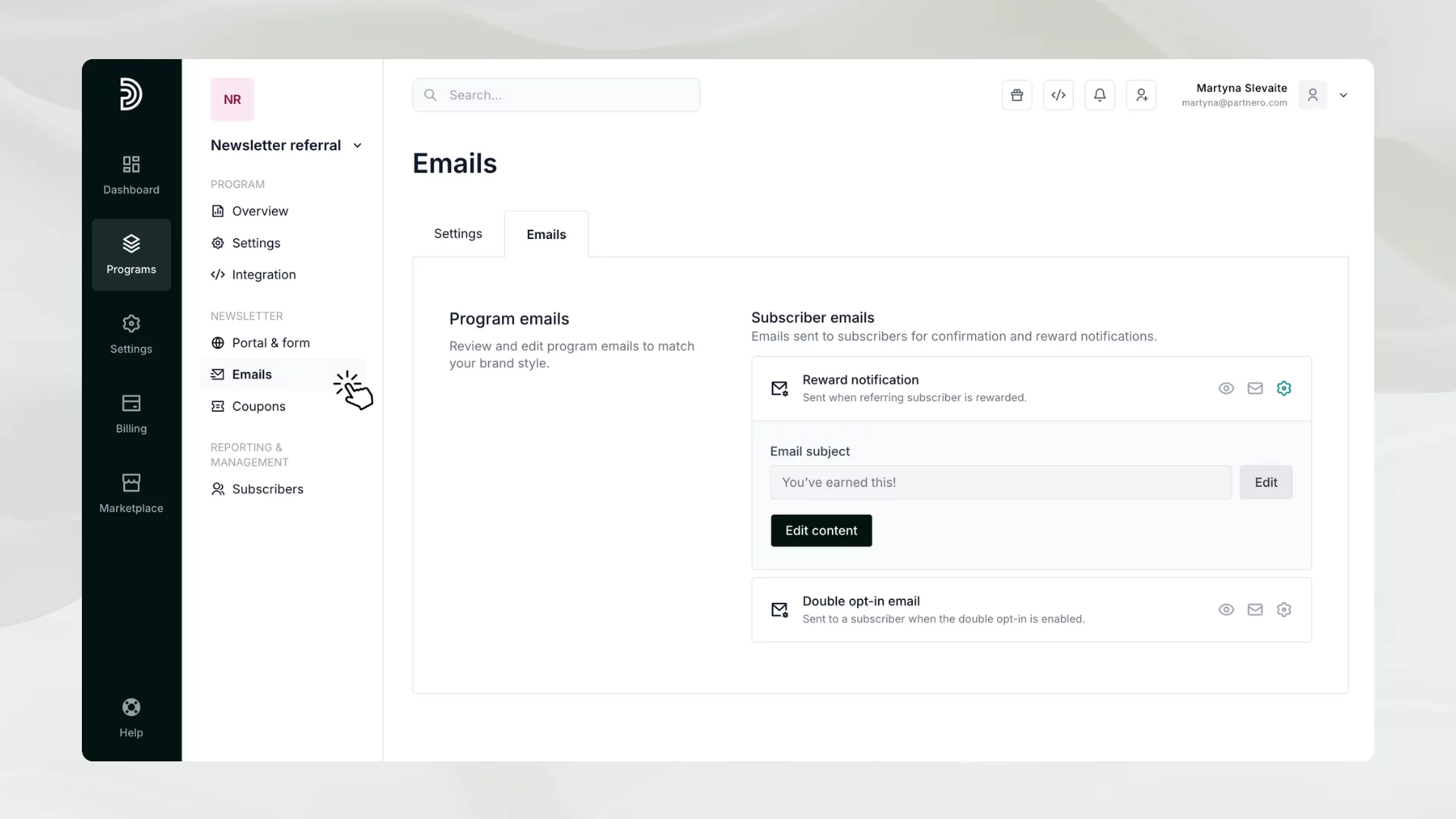
The newsletter referral program has two transactional emails:
- Reward notification: sent when a referring subscriber unlocks a reward.
- Double opt-in emails: sent to referred subscribers to confirm subscription.
You can edit the text and design of both of these emails to match your branding. You can also connect your own sender’s domain for a white-label experience.
Additionally, you can set up email notifications for when rewards are unlocked.
7. Promote your newsletter referral program
The last step is to invite your audience to participate!
All data is synchronized between Partnero and your email service provider. This means that each subscriber in our MailerLite list has a unique URL for the subscribe portal and form. These links can be included in your newsletters.
There are two options to do that:
- You can use our pre-made custom HTML block, that can be inserted into your newsletter;
- Alternatively, you can design your section using custom fields (variables) containing the unique referral links.
You can read more about both options here.
8. Further enhancements
Now that we’ve outlined the steps to set up and launch a newsletter referral program, we’d also like to share ways you can enhance it and make it more engaging for your audience.
With Partnero newsletter referral programs, you can:
- Use the email service provider's automations to motivate, share instructions, fulfill rewards, request feedback, etc. Here’s how to do that with MailerLite or Mailchimp.
- Reward your subscribers with Amazon Gift cards or generic coupons.
- Offer digital content, such as PDF files, e-books, or coaching sessions.
- Set up a tiered rewards system where subscribers can unlock higher levels by inviting more subscribers.
Need more inspiration? Here’s some further reading:
→ Newsletter Referral Programs: What, Why & How
→ 9 Email Marketing Tips to Grow Your Newsletter Referral Program
Grow your newsletter community with Partnero
By following these steps, you can launch a successful newsletter referral program with Partnero, building engagement and expanding your audience through the power of referrals. As you continue to grow your program, remember that consistency and communication are key. Regularly share progress updates, highlight rewards, and encourage subscribers to share. Partnero makes it easy to track, manage, and optimize your program, so you can focus on what matters most: connecting with and growing your readership.
Launch your program in minutes or get in touch for advanced setups.
Fast setup & easy migration
Connect Partnero to your tools, with support if you’re switching platforms.Automated, transparent payouts
Pay partners on schedule and save hours. No spreadsheets or manual errors.
Affiliate and referral program software trusted by 3,000+ businesses. Connect with Stripe, Paddle, Shopify and more.


Product updates, affiliate marketing tips, and growth insights.