Automated affiliate campaigns
Guide partners from signup to their first sale and beyond with sequences of emails, conditions, and tags that start with real activity. Set up once, and every partner gets the right message at the right moment.



What are affiliate campaigns?
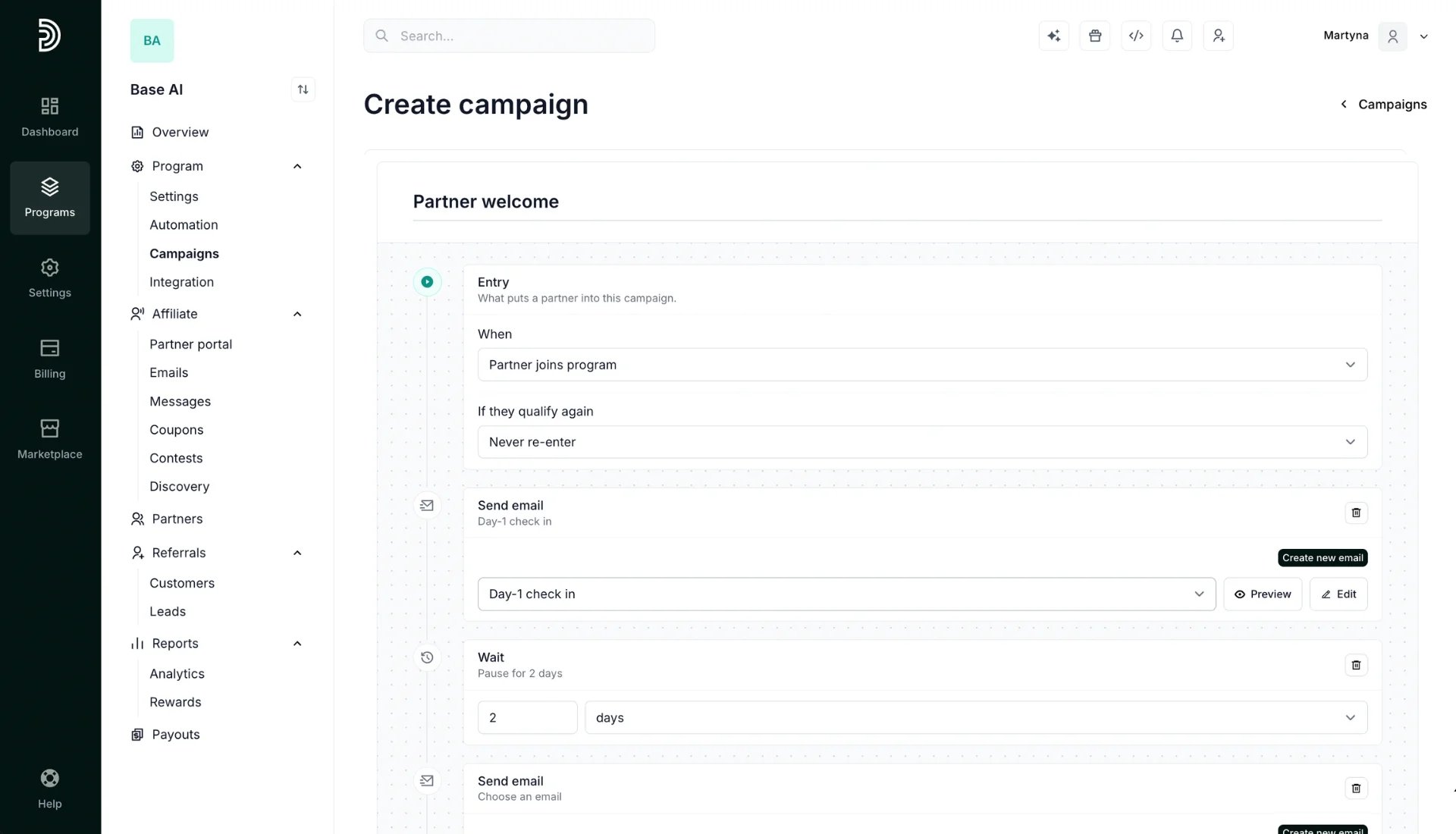
A campaign is a sequence of steps that runs for each affiliate, triggered when something happens in your program. It combines emails, delays, conditions and tags, so each partner gets a message that fits where they are.
Every campaign has four parts:
Campaigns run a sequence of actions, spread over time, defined by custom triggers you set.
Why sequences work better than one-off emails

Emails arrive when they are relevant, such as the day a partner joins or the day they earn a first commission.

Branch on signups, customers or revenue, so partners get advice that matches where they are, and tags keep their segments up to date automatically.

Exit conditions end a sequence once a partner succeeds, so nobody gets nagged about something already done.

Each partner goes through the same journey whenever they join, with no manual work from you.

By default, a partner receives at most one campaign email per day across all your campaigns. Extra emails are held back and sent later, not dropped.



Everything you need to build a campaign
Campaigns for every stage of the partner lifecycle
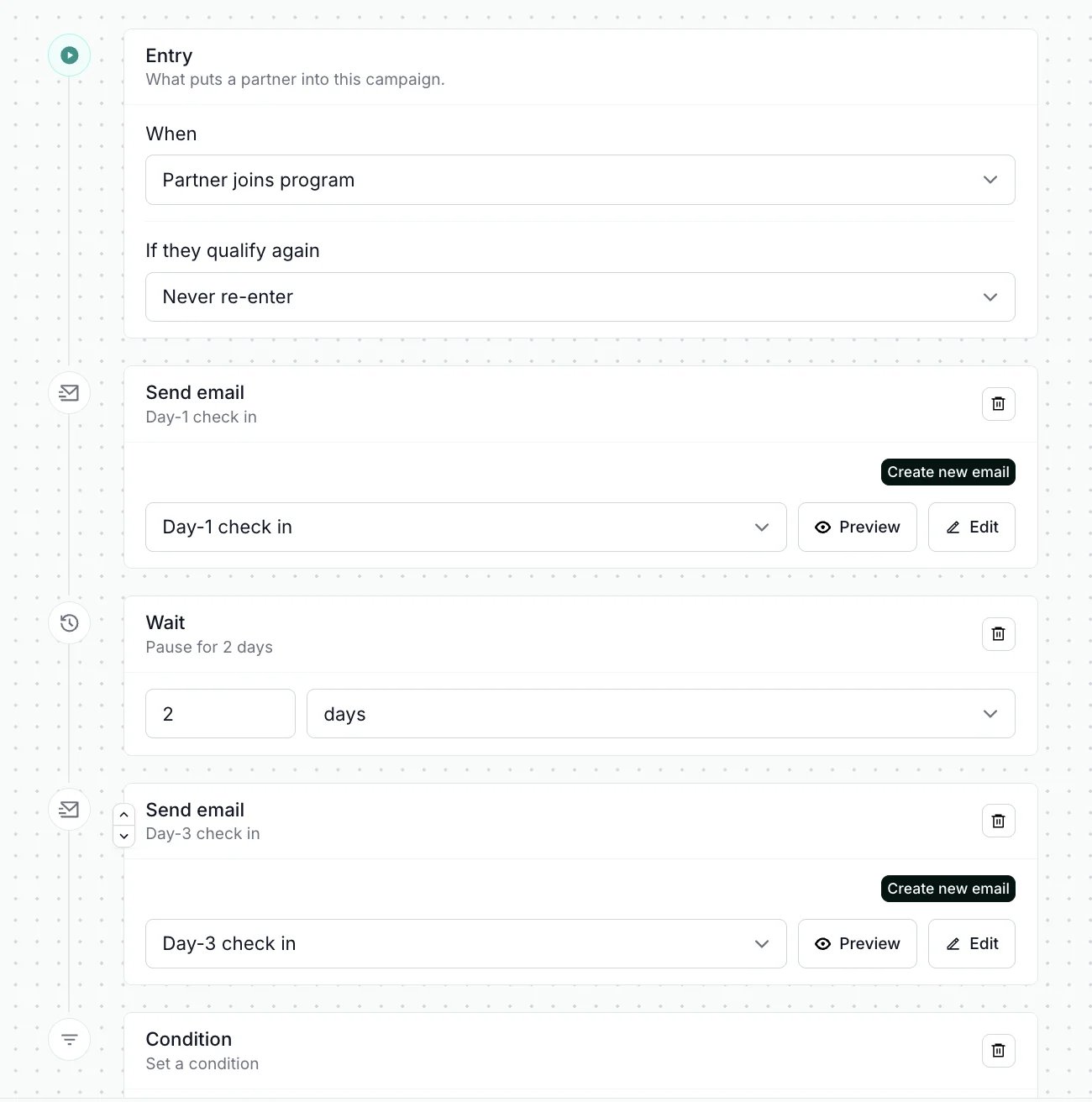
Start from one of pre-existing templates, or build your own from scratch.

Starts when a partner joins. Greets them, waits, then splits on whether they have referred anybody yet.

Starts when a partner earns their first commission. Congratulates them, then follows up with what to do for the second.

Starts when a partner has not referred anybody in 60 days. Sends fresh ideas, and lets them back in 120 days later if they go quiet again.

Starts on a partner's joining anniversary. Thanks them, and runs again every year they stay.
Set up your first campaign
Get your first partner campaign up and running in four simple steps
Start for freeCommon questions about affiliate campaigns
Affiliate campaigns are automated sequences that Partnero runs for your partners over days or weeks. A campaign starts when something happens in your program, such as a partner joining or going quiet, and runs through steps you define: waits, emails, conditions and tags. Along the way it can also add or remove tags to segment partners.
Yes. Campaigns are available on every Partnero plan. You can try Campaigns during the 30-day free trial.
An automation runs one action in response to one event, such as adding a tag or sending an email. A campaign runs an ordered sequence of steps over days or weeks and can branch partway through.
A partner joining, a first signup, a first sale or a first commission can each start one. So can a milestone such as 10 signups, a joining anniversary, a period of inactivity, or a tag added to a partner.
Yes. Exit conditions are checked before every step. For example, you can end a sequence once a partner has referred their first customer, so they stop receiving reminders.
Campaigns use your program's existing email settings, so the sender name, sender address, reply-to address and branding are the ones you configured under Emails in Partner portal.
Launch your program in minutes or get in touch for advanced setups.
Fast setup & easy migration
Connect Partnero to your tools, with support if you’re switching platforms.Automated, transparent payouts
Pay partners on schedule and save hours. No spreadsheets or manual errors.
Affiliate and referral program software trusted by 1,500+ businesses. Connect with Stripe, Paddle, Shopify and more.

Product updates, affiliate marketing tips, and growth insights.