How Partnero AI Helps You Set Up, Manage, and Scale Your Affiliate Program

Running an affiliate program involves more ongoing work than it looks like from the outside. There are structural decisions before you even launch, partners to find once you are live, performance to track, settings to adjust, and records to manage, all of it spread across time and tools.
Partnero AI is a suite of four tools built to reduce that overhead across the full program lifecycle: setting up correctly from the start, finding the right partners, handling day-to-day management, and doing it all inside the tools you already use.
This article walks through what each tool does, where it helps, and what it looks like in practice.
The four tools in Partnero AI
1. AI Program Builder
What it does: Builds your program structure based on your goals, so you do not have to figure out the settings from scratch.
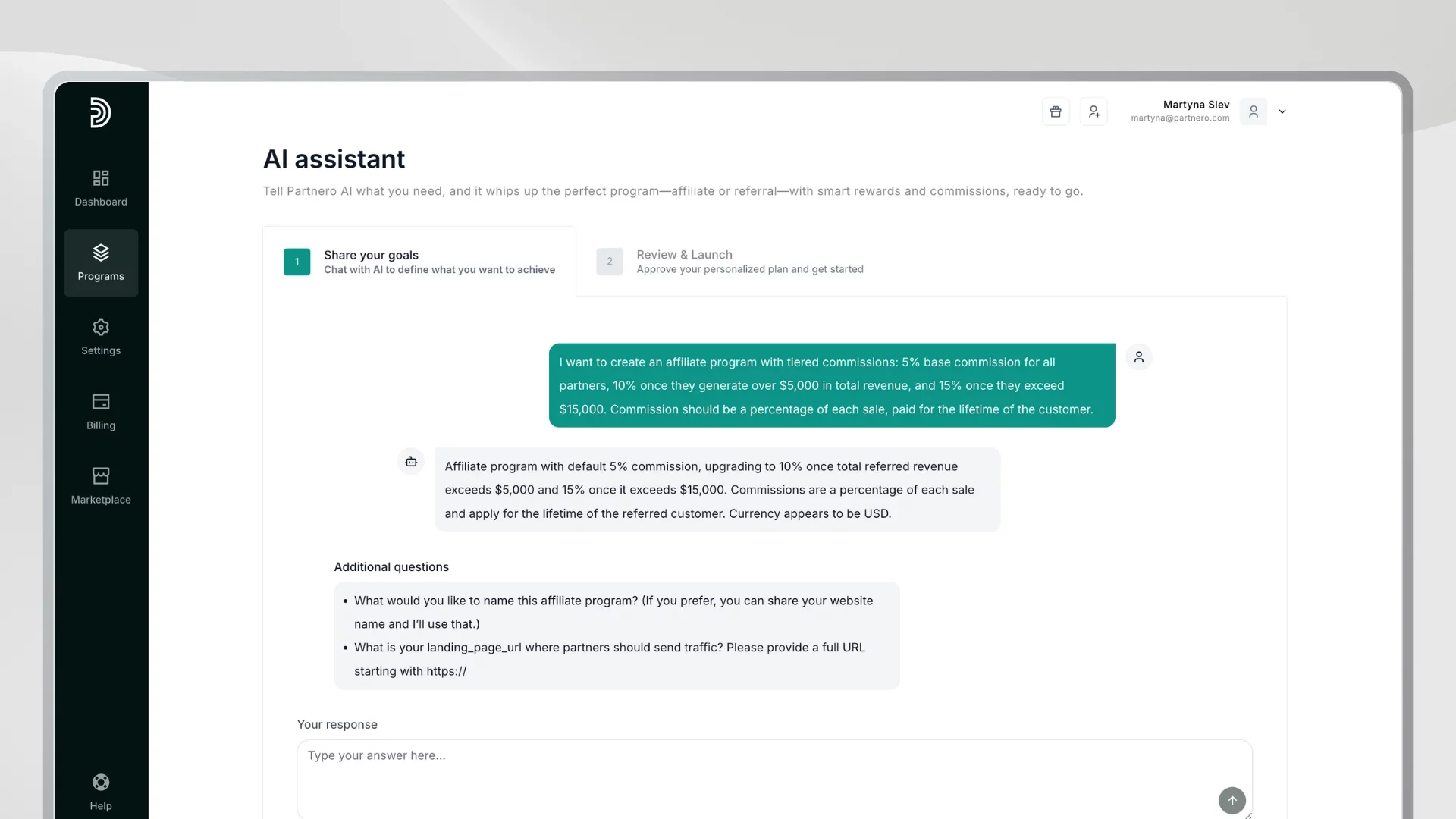
When you are setting up an affiliate or referral program for the first time, there are more decisions than most people expect. Do you run an affiliate program or a referral program? What commission rate makes sense? How should rewards be structured?
The AI Program Builder takes your inputs — what your product does, who your customers are, what you want to achieve — and recommends the most suitable program type and configuration. It selects a structure (affiliate or referral), suggests reward settings aligned with your pricing model, and applies best practices so you are not starting from a blank page.
The result is a program that is ready to launch, not just a template you have to reverse-engineer.
Where it helps most:
- First-time program setup, where the decisions feel unfamiliar
- Teams without a dedicated partner manager who need a solid starting point
- Anyone who wants to launch quickly without guessing their way through configuration
AI Integration Assistant
The AI also extends to your technical setup. As an additional feature, Partnero offers an AI Integration Assistant that analyzes your website and payment gateway and generates step-by-step integration instructions tailored to your tech stack, so you don't have to guess how to connect Partnero to your existing tools.
2. AI Affiliate and Partner Discovery
What it does: Finds relevant affiliates and partners for your program based on your niche, audience, and goals.
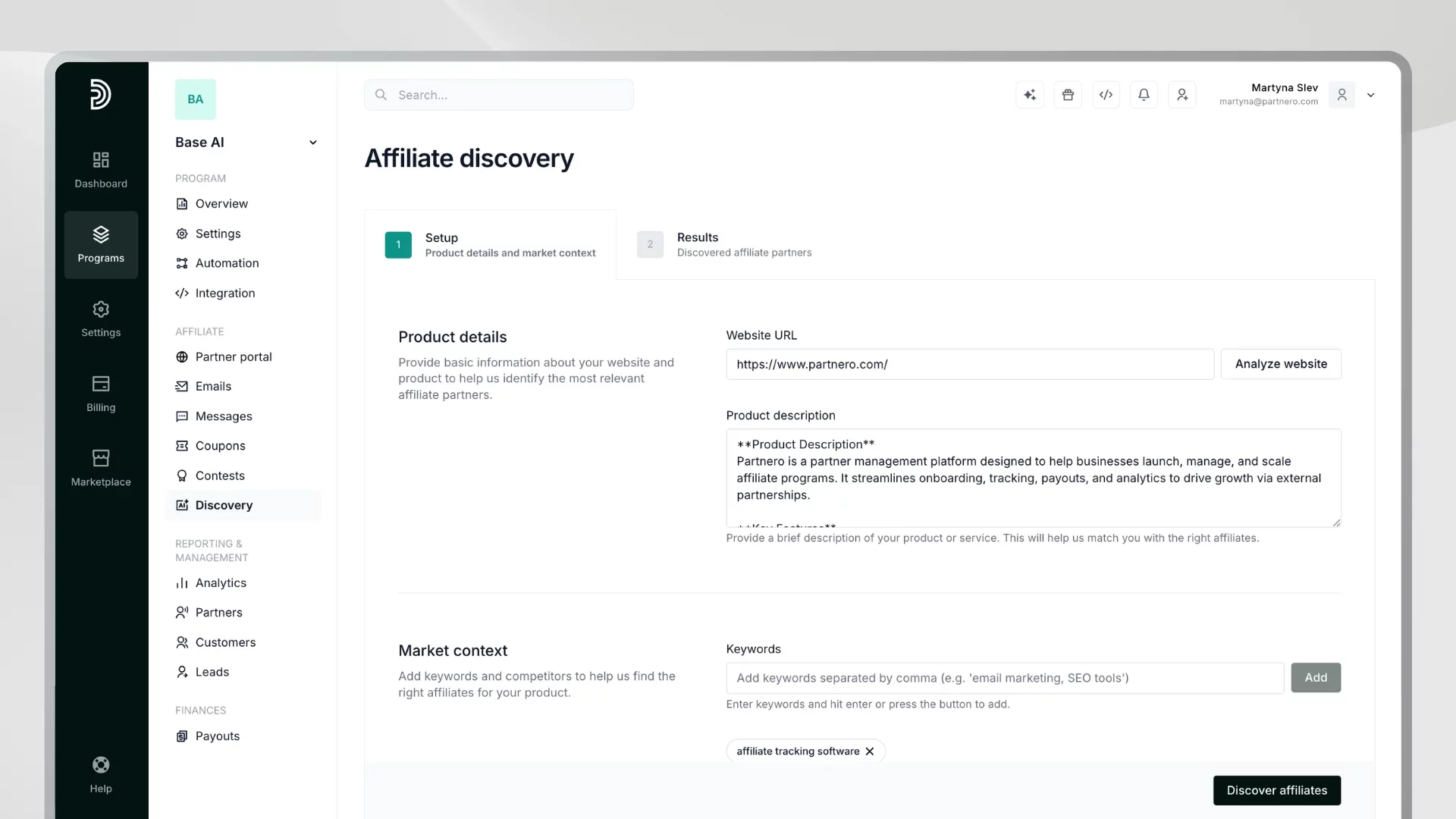
Finding the right affiliates is one of the hardest parts of growing a partner program. Generic influencer directories give you reach without relevance. Manual prospecting is time-consuming and produces inconsistent results.
Partnero's AI Affiliate Discovery identifies affiliate candidates that are actually relevant to your vertical, pricing model, and customer profile. You describe your ideal partner, and the tool returns a curated list with relevance scoring, audience fit data, and contact details, along with a suggested outreach draft to get the conversation started.
The list updates in real time, so you are not working from a static or outdated database.
Where it helps most:
- Launching a new program and needing to build an affiliate base quickly
- Expanding into a new market or customer segment
- Replacing hours of manual research with a curated, actionable shortlist
3. AI Assistant
What it does: Lets you ask questions and make changes to your program through conversation, without navigating the dashboard.
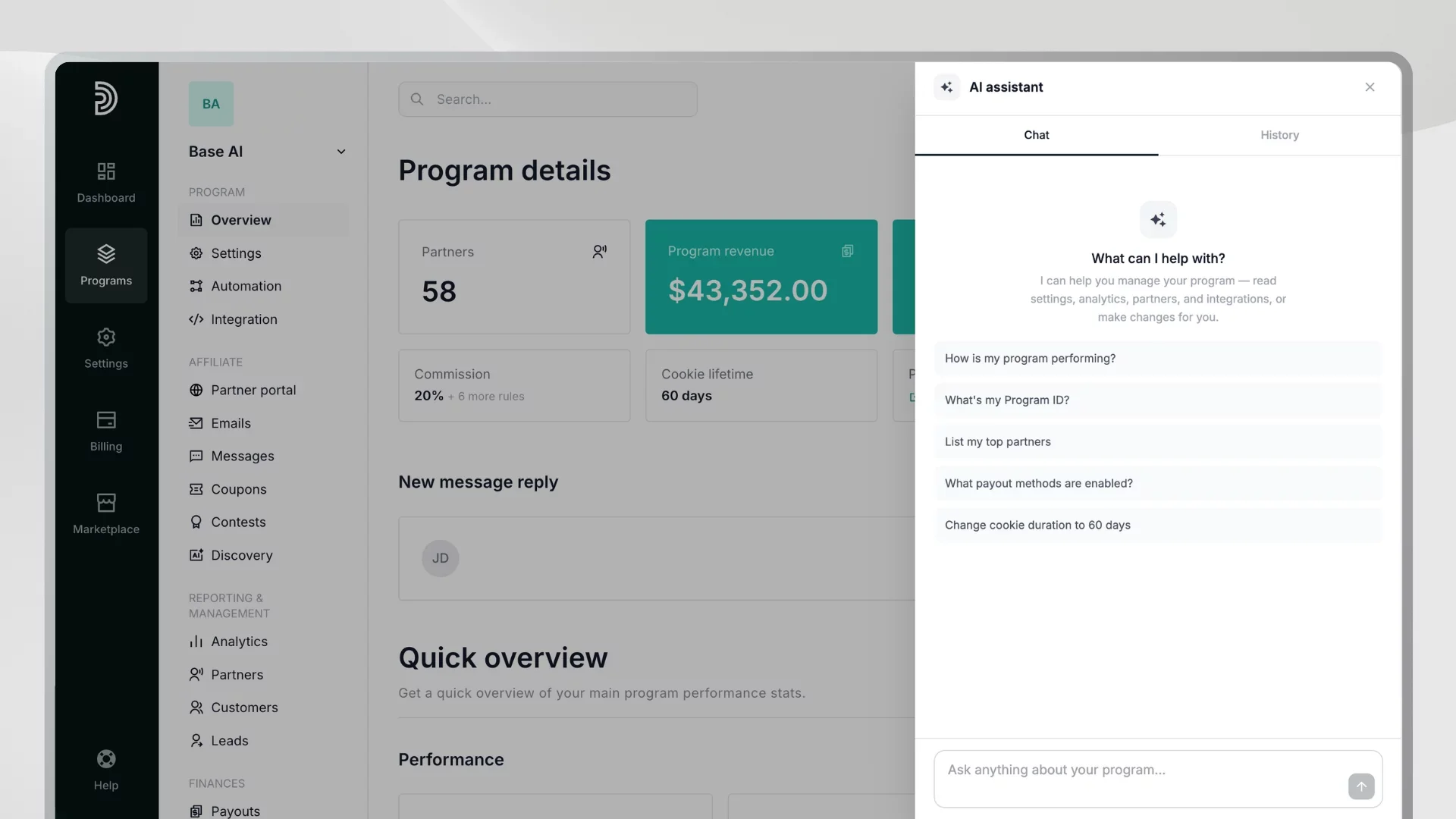
This is the tool you will use every day. The AI Assistant connects directly to your live Partnero data and works like a copilot for your program. Ask it a question, and it pulls the answer. Tell it to make a change and the Assistant shows what it is about to do and waits for your confirmation before any change is applied. You stay in control.
Things you can do through the Assistant:
- Get a full program overview: partners, conversions, revenue, commission liability, payout status
- Update program settings, commission rules, fraud protection, and notifications
- Create partner, customer, and transaction records by describing them in chat
- Review your commission structure and ask for recommendations on how to improve it
Additionally, you can access AI-assisted commission editing directly inside your program settings. Describe what you want to achieve, and the AI will analyze your current structure and configure it for you.
A practical example: It is Monday morning. You want a quick read on where the program stands before your team call. You open the Assistant and ask for a program summary. Within seconds, you have an overview of active partners, recent conversions, total revenue, outstanding commission liability, and current payout status. No report-building, no tab-switching.
You then ask the Assistant whether your commission structure is well set up to motivate partner engagement. It reviews your current rules and flags that your flat-rate commission gives no extra incentive for high performers. It suggests a tiered structure where top partners earn a higher rate above a conversion threshold. You tell it to update the settings. It shows you exactly what it will change, you confirm, and it is done.
Who benefits most:
- Founders who want a fast read on program health without digging through reports
- Program managers handling multiple tasks across a single session
- Operations and support teams looking up records or making quick updates
- Accountants who need revenue summaries, commission liabilities, or payout overviews on demand
The AI Assistant is included on every Partnero plan. No upgrade required.
4. MCP Server
What it does: Connects your Partnero account to the AI tools you already use (Claude Desktop, Cursor, VS Code, Claude Code CLI) so you can manage your program without leaving your existing workflow.
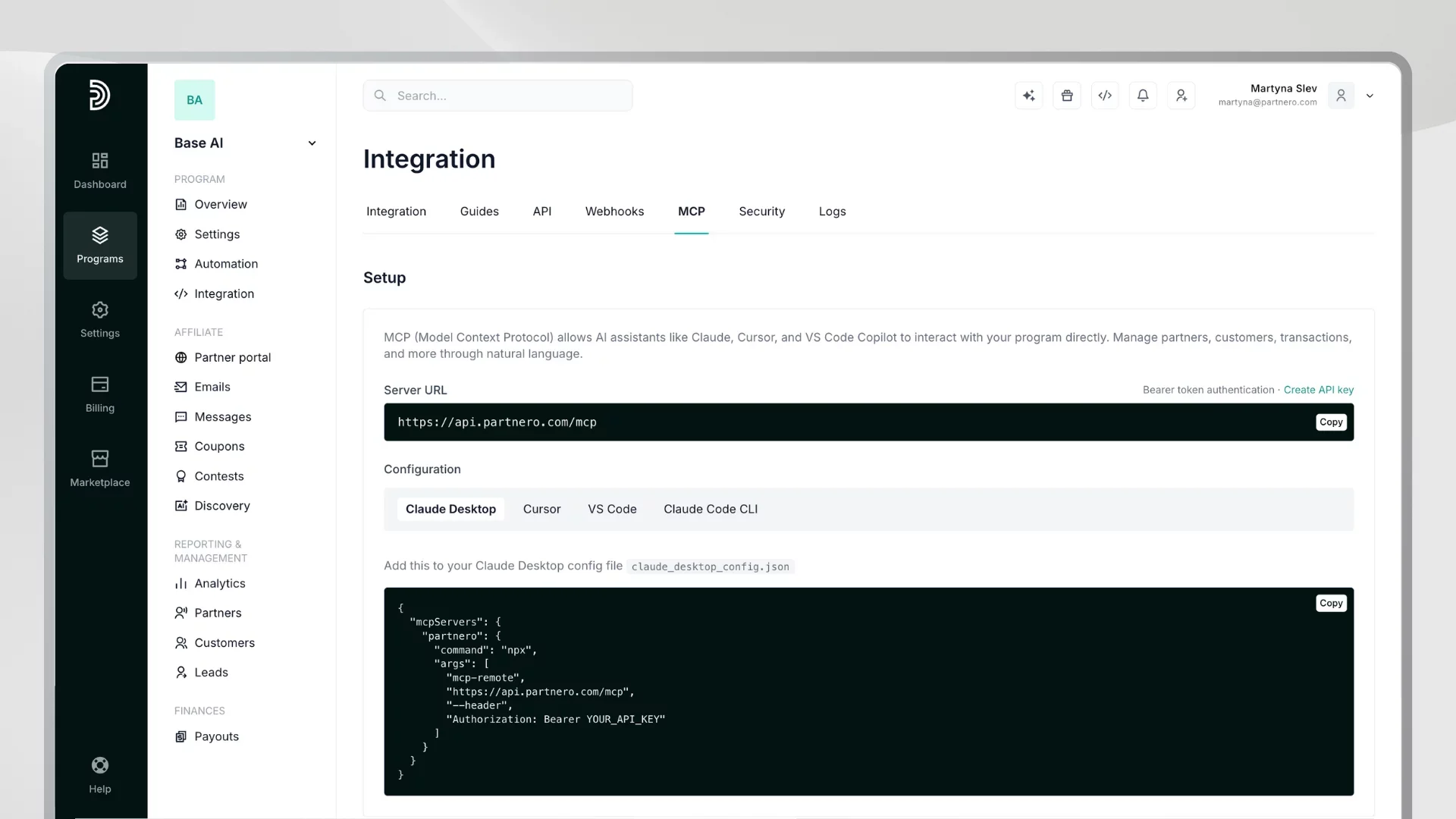
MCP (Model Context Protocol) is an open standard that enables AI assistants to securely connect to external tools and data. The Partnero MCP Server is an implementation of that standard for your affiliate program.
Once connected, your AI assistant can access the same program data and actions as the built-in AI Assistant, including partners, customers, transactions, leads, rewards, and program settings, but from inside Claude, Cursor, or whatever environment you already work in.
Setup is straightforward: generate your API key in Partnero, copy the configuration snippet for your tool of choice, and paste it into your settings. That is it.
A practical developer workflow example: You are in Cursor, working on a new integration. A partner emails asking about their conversion count for the month. Without leaving your editor, you ask your assistant to pull their stats from Partnero. You get the number, reply to the email, and go back to your code. No tab-switching, no dashboard login.
A practical program manager workflow example: You are drafting a partner update email in Claude Desktop. Before you send it, you ask your assistant to pull the current payout status and top-performing partners for the month so you can reference real numbers in the email. It pulls the data directly from your Partnero account. You write the email with accurate figures without opening a second tool.
Who benefits most:
- Developers who live in Cursor or VS Code and do not want to context-switch into a dashboard
- Power users already working in Claude Desktop who want Partnero alongside their other tools
- Teams that have standardized on an AI assistant and want their affiliate data accessible within it
MCP access is included on every Partnero plan.
AI across your affiliate program lifecycle
By now, most software has some form of AI. A writing assistant here, an autocomplete there. Most of it is additive, a layer on top of existing features.
Partnero AI is built differently because affiliate program management has a specific problem that generic AI cannot solve: the work is spread across time, roles, and workflows in a way that creates constant friction.
Before you launch, you are making structural decisions you may not have made before. Once you are live, you are sourcing partners, checking performance, adjusting settings, and handling one-off requests. None of it is especially hard, but all of it requires your attention and your time. And if you are using AI tools for other parts of your work, your affiliate data sits in a separate system that your assistant knows nothing about.
Partnero AI addresses all of this in one place, across the full program lifecycle:
Setup: The Program Builder removes the guesswork from initial configuration. Instead of researching best practices and reverse-engineering templates, you describe your goals and get a program structure built around them.
Recruitment: Affiliate Discovery replaces manual prospecting with a curated, relevance-scored candidate list. Most affiliate tools have no equivalent. The ones that do typically surface static influencer databases that are not filtered for your specific niche, pricing model, or customer profile.
Daily management: The AI Assistant means you don't have to navigate a dashboard to do routine tasks. Performance reviews, setting updates, record creation, commission structure questions, all of it happens in a single conversation. This is the tool that changes what running a program actually feels like week to week.
Your existing AI environment: The MCP Server is the feature that sets Partnero apart from nearly every other affiliate platform. Most tools stop at a built-in assistant. Partnero goes further: if you already work in Claude, Cursor, or VS Code, you can manage your affiliate program from there. Your program data becomes part of your AI context, not a separate tab you have to open.
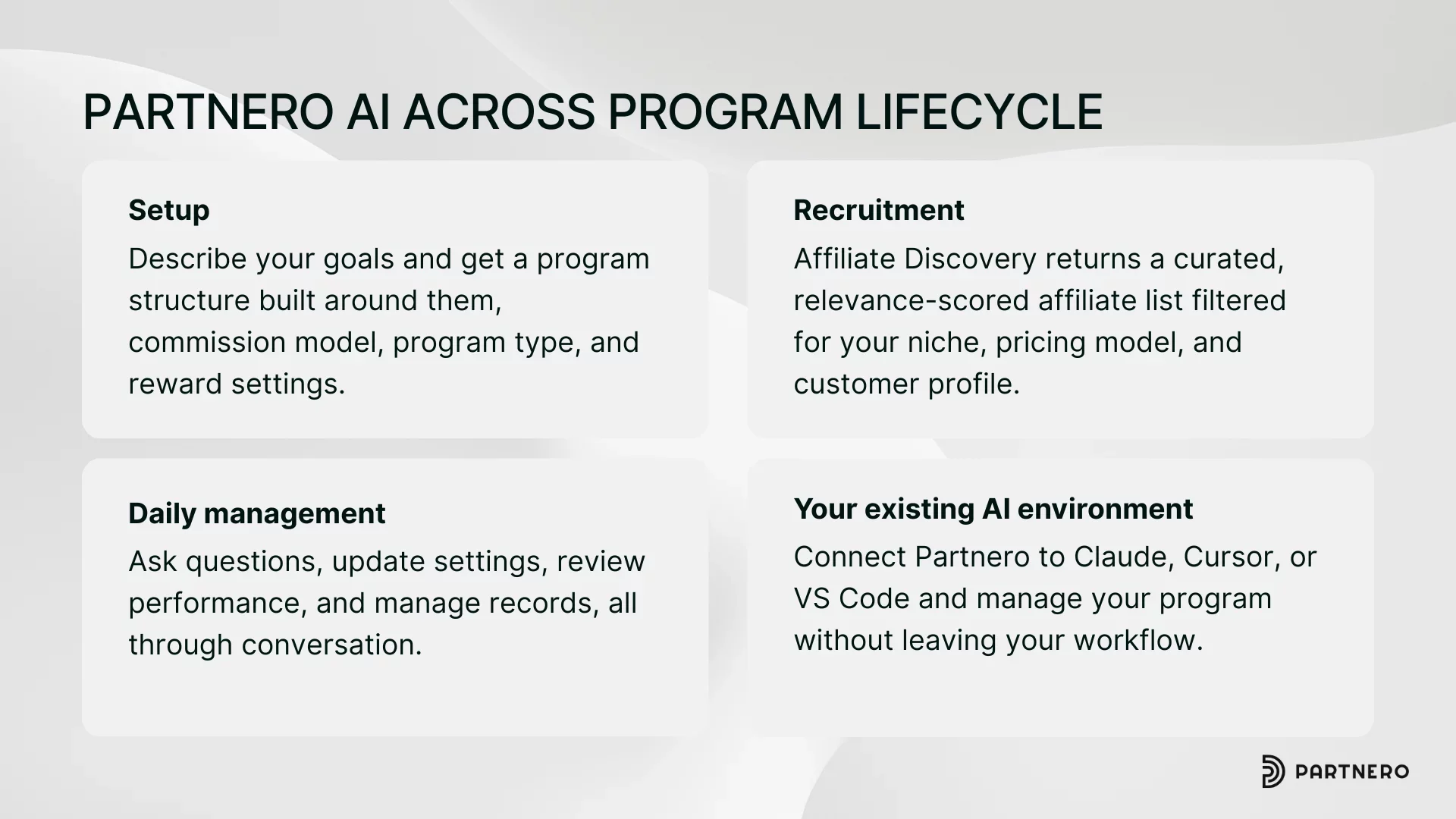
Taken together, this is not AI as a feature checkbox. It is AI as the operating layer for your program, covering setup, growth, and management in a way that reduces the manual overhead at every stage.
How the tools work together
The four tools map to the natural progression of building and running a program.
You start with the Program Builder to get your structure right — commission model, program type, reward settings — without starting from scratch. You use Affiliate Discovery to build an initial partner pipeline with people who are actually relevant to your audience. Once you are live, the AI Assistant handles the ongoing work: performance checks, setting updates, record management, and commission reviews. And if you already live in an AI assistant like Claude or Cursor, the MCP Server brings your Partnero data into that environment so you never have to break your workflow.
All four tools are included on every Partnero plan. The Program Builder, Affiliate Discovery, and AI Assistant are ready to use as soon as you log in. The MCP Server requires a quick one-time setup: generate your API key in Partnero, paste the configuration snippet into your AI tool of choice, and you are connected.
Start using Partnero AI and get ahead
All four Partnero AI tools are available in your account today. Log in to explore them, or start a free 30-day trial if you are not yet on Partnero.
If you want to see how the AI Program Builder sets up a program, or how Affiliate Discovery works for your specific niche, our team is available to walk you through it. Book a demo.
Frequently asked questions
No. The AI Program Builder, Affiliate Discovery, and AI Assistant are accessible directly from your Partnero account with no technical setup. The MCP Server requires copying a configuration snippet into your AI tool's settings, but no development work is needed.
Yes. All four Partnero AI features are available on every plan. There is no upgrade required to access any of them.
Not currently. The Assistant can give you payout overviews and status summaries. Automated payout processing is handled separately in Partnero. Read more.
No. Every change the Assistant proposes is shown to you before it is applied. You confirm each action.
Claude Desktop, Cursor, VS Code, and Claude Code CLI. Ready-to-use configuration instructions for each are available directly in your Partnero dashboard.
Yes. All MCP requests are authenticated with your Partnero API key. Your assistant only accesses data your account is authorized to see.
Launch your program in minutes or get in touch for advanced setups.
Fast setup & easy migration
Connect Partnero to your tools, with support if you’re switching platforms.Automated, transparent payouts
Pay partners on schedule and save hours. No spreadsheets or manual errors.
Affiliate and referral program software trusted by 1,500+ businesses. Connect with Stripe, Paddle, Shopify and more.


Product updates, affiliate marketing tips, and growth insights.